Two harmonics. Your balance.
Shape second-harmonic warmth and third-harmonic edge independently. Switch either stage off, then blend the generated signal into your track.
TRACK 1 AUDIO / FREE HARMONICS PLUGIN
Meet Harmonic Bloom Lite. Second and third harmonic shaping, with a focused Classic workflow.
Mac AU + VST3 · Windows x64 VST3 · Preview builds
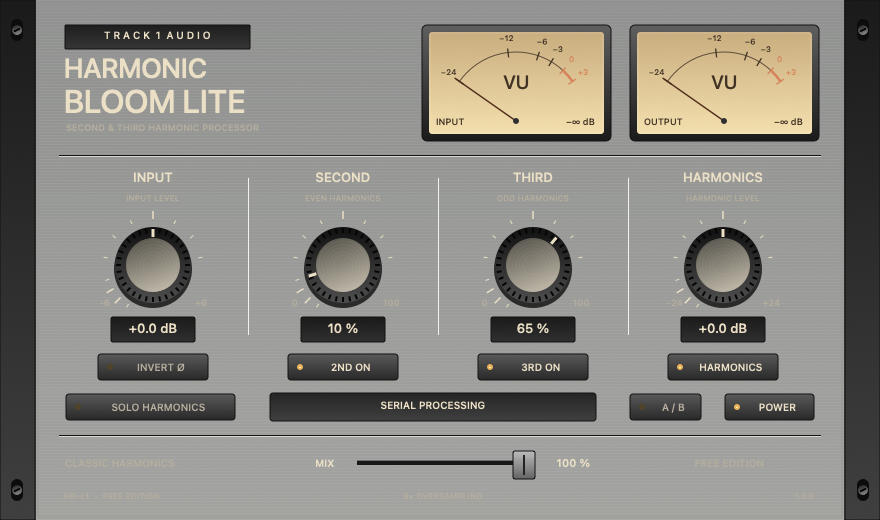
COLOR, ON YOUR TERMS
For vocals, bass, drums, instruments
and the buses that bring them together.
Shape second-harmonic warmth and third-harmonic edge independently. Switch either stage off, then blend the generated signal into your track.
Harmonics gain controls the generated branch while the separate clean branch retains its gain. Solo auditions that branch; Master mode trims the combined signal. Total loudness can still change.
Classic processing and serial routing keep the core workflow direct. Input, Second, Third, Harmonics / Master, Mix, Solo, Invert, stage switches and Power are all here.
Lite has no factory presets or built-in preset browser. Your active settings save with the DAW project, with host automation, A/B comparison, needle meters and 8× oversampling.
LESS READING. MORE LISTENING.
Raw to warm. Subtle to full.
Your ears can take it from here.
Choose an instrument and hear the five settings in order, or jump straight to a sound in the grid. These examples use Classic processing.
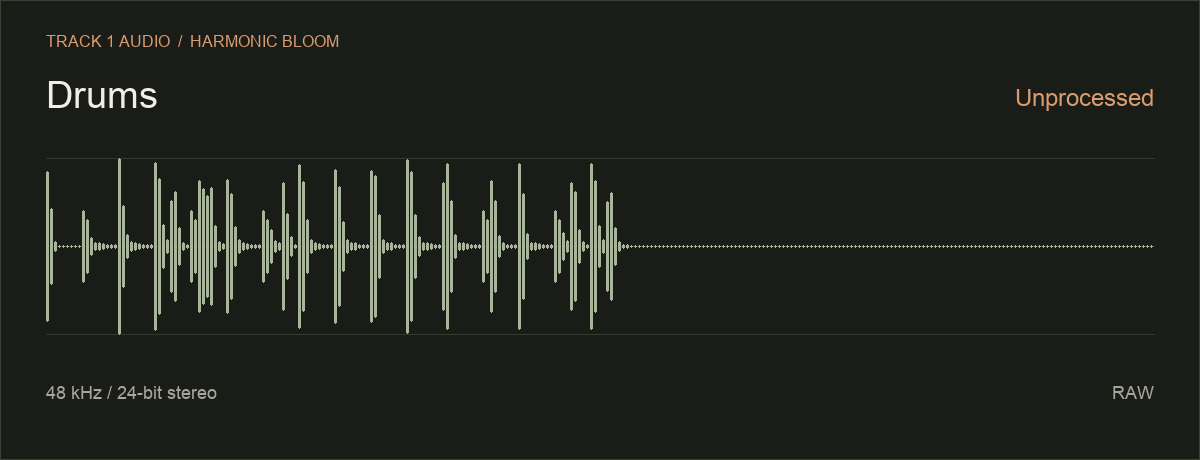
| Instrument | RawOriginal | 2nd harmonic50% | 2nd harmonic100% | 3rd harmonic50% | 3rd harmonic100% |
|---|---|---|---|---|---|
| Drums | |||||
| Guitar | |||||
| Synth |
Original recordings · 48 kHz / 24-bit stereo · No level normalization
Playback continues through the remaining settings for your selected instrument, then stops. Level differences are part of the examples.
YOURS TO MAKE MUSIC WITH
Choose your platform and download directly. No email, account, license key or activation required.
Harmonic Bloom Lite 1.0.0 / PREVIEW
Native Apple Silicon and Windows runtime / DAW testing is pending. These are preview builds. Mac bundles are ad-hoc signed; installers are unsigned and not notarized. Windows files are unsigned.
Quit your DAW, extract the entire ZIP and read its included guide. On Mac, use the included installer or alternate installation script. On Windows, follow the included installer instructions and rescan your VST3 plugins. Logic uses AU. No AAX build is included.
Test in a spare project. Lite and Premium install separately and do not automatically replace each other in saved projects. Both preserve the MIT license included in their packages.
FIND YOUR STARTING POINT
The core controls in Lite.
More possibilities in Premium.
| Inside the plugin | Lite ↗Free | Premium ↗$10.99 USD · one-time |
|---|---|---|
| Second + third harmonic controls | Yes | Yes |
| Harmonics / Master gain, Solo + Mix | Yes | Yes |
| Stage switches, Invert + Power | Yes | Yes |
| A/B, automation + project recall | Yes | Yes |
| 8× oversampling + needle meters | Yes | Yes |
| Processing modes | Classic | Classic + Bold |
| Harmonic-stage routing | Serial | Serial + Parallel |
| Factory presets | None | Six |
| Mac · Intel + Apple Silicon builds | AUv2 + VST3 | AUv2 + VST3 |
| Windows 10/11 x64 build | VST3 | VST3 |
Both editions are public previews. Intel Mac engineering checks have passed; native Apple Silicon and Windows runtime testing is pending.
BEFORE YOU TURN THE FIRST KNOB
Both focus on second- and third-order harmonic color. Harmonic Bloom uses its own processing and workflow; there is no claim of identical algorithms or sound. Lite is a free option with Classic serial processing. Premium adds Bold mode and parallel routing.
Solo auditions the generated branch. In Classic mode that branch can also contain fundamental energy; Solo is not a frequency-isolation filter. Harmonics gain adjusts the generated branch, and Mix brings it into context.
Yes. They have separate plugin identities and installation paths. Existing Premium instances retain the Harmonic Bloom identity. Projects do not automatically swap Lite, Premium, AU and VST3 instances.
Intel Mac engineering checks cover audio processing, state, AU and VST3 operation, editor behavior and package structure. Native Apple Silicon and Windows runtime / DAW testing remains pending. Format availability does not certify every DAW.
Fielding DSP Reviver is referenced for comparison only. Track 1 Audio is independent and is not affiliated with or endorsed by Fielding DSP.